What you leave with tonight
Personal Brief
A document about who you are and how you work — loaded into H+Co ChatGPT so every AI conversation is calibrated to you.
Deep Research output
A comprehensive research document covering the competitive landscape, cultural moment, and category conventions.
Research extraction
Structured strategic insights — audience options, brand enemies, whitespace, and one cultural tension.
Brand Strategy document
Your four human decisions — audience, enemy, tone, one word — compiled on a single page. The foundation for everything.
Brand project folder
A dedicated folder in H+Co ChatGPT where your brand conversations live — ready for Session 2.
What you'll need
Choose your category
Pick one of four product categories: Functional Drink, Dog Food, Sunscreen, or Trail Shoe.
A single Australian-made trail shoe. New brand. One silhouette at launch.
Category: Trail running footwear — a fast-growing segment where global performance brands dominate distribution and mindshare. Currently split between mass-market trail shoes from major athletic brands and a handful of specialist brands with cult followings. The whitespace is a brand that's local, considered, and community-rooted before it's commercial.
Competition: Salomon (ubiquitous, performance-first, gorpcore crossover), HOKA (maximalist, comfort, mainstream trail), Nike Trail (brand leverage, style-led), Merrell (outdoor heritage, practical). None of them are Australian-made, and none of them talk to the person who's tired of seeing the same shoes on every trail.
The person: Runs trails seriously but doesn't need a brand to tell them they're serious. Cares about what's on their feet, notices what other people are wearing, and would rather discover a brand than be sold one. Values craft and locality over global scale.
The occasion: Saturday morning, 6am. A trail they know well enough to run alone. Or: the gear forum post where someone asks "what are you actually running in?" and the answer isn't Salomon.
The tension: Every trail shoe brand either chases mass-market scale (Salomon, HOKA, Nike) or stays so niche it's hard to find. Nobody is building an Australian trail shoe that's genuinely good, genuinely local, and available to the people who care — without trying to be the next global brand.
The brief gives you the tension — your job is to resolve it.
| Technique | What it does |
|---|---|
| Prompt chaining | One tool's output becomes the next tool's input — each step builds on the last |
| Role prompting | Assigning Claude a specific perspective or expertise before you ask your question |
Write your Personal Brief
Open Claude in OpenWebUI. Claude will interview you — one question at a time — about your role, what you're working on, how you like to communicate, and what you want AI to help you with. When it has enough, ask it to compile everything into a Personal Brief.
Save it in your OpenWebUI system settings. Paste a copy into your Google Doc.
Launch your research
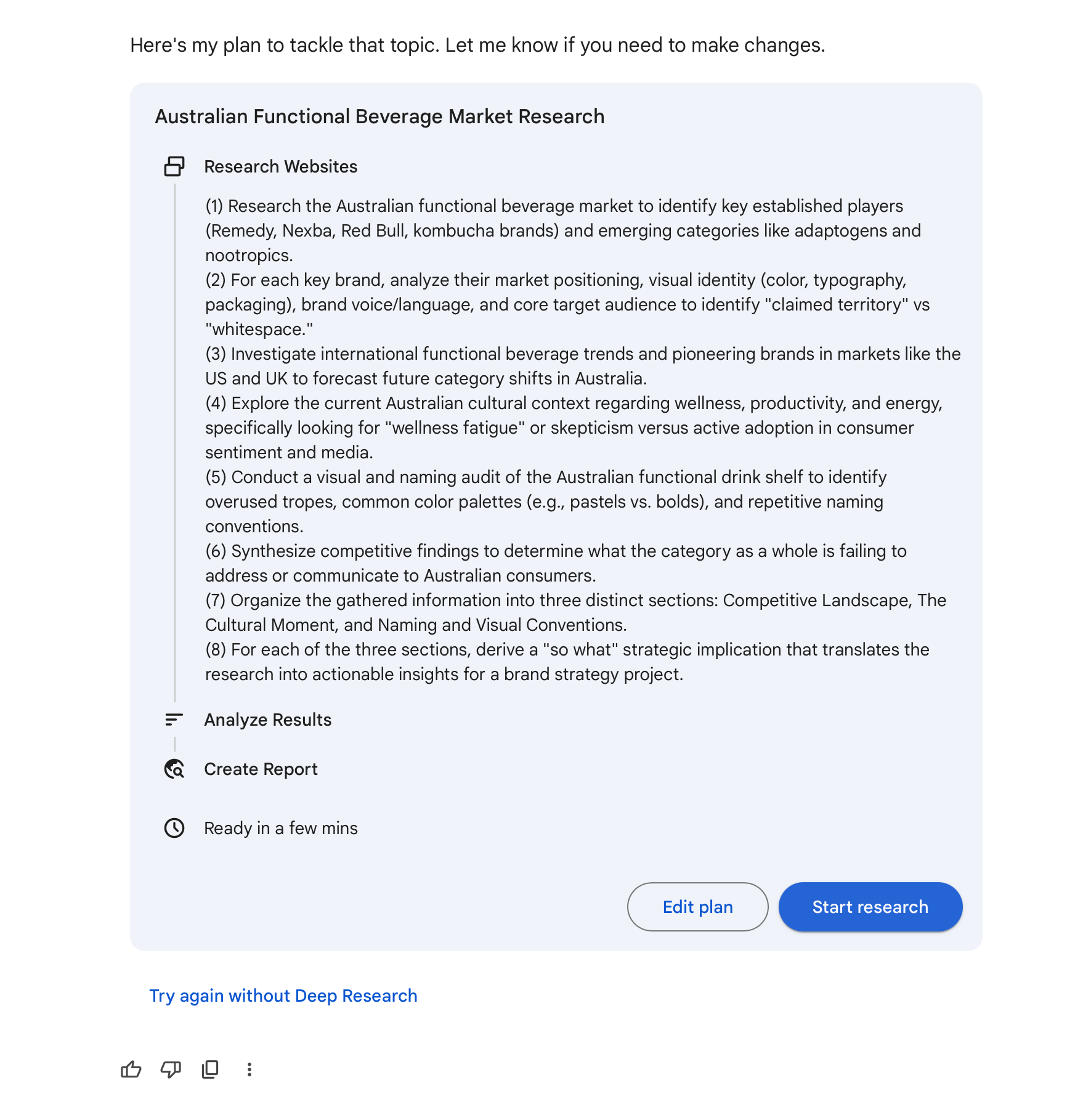
Open Gemini Deep Research and brief it to investigate your category — competitive landscape, white space, audience mindsets, cultural tensions, and what existing brands are getting wrong.
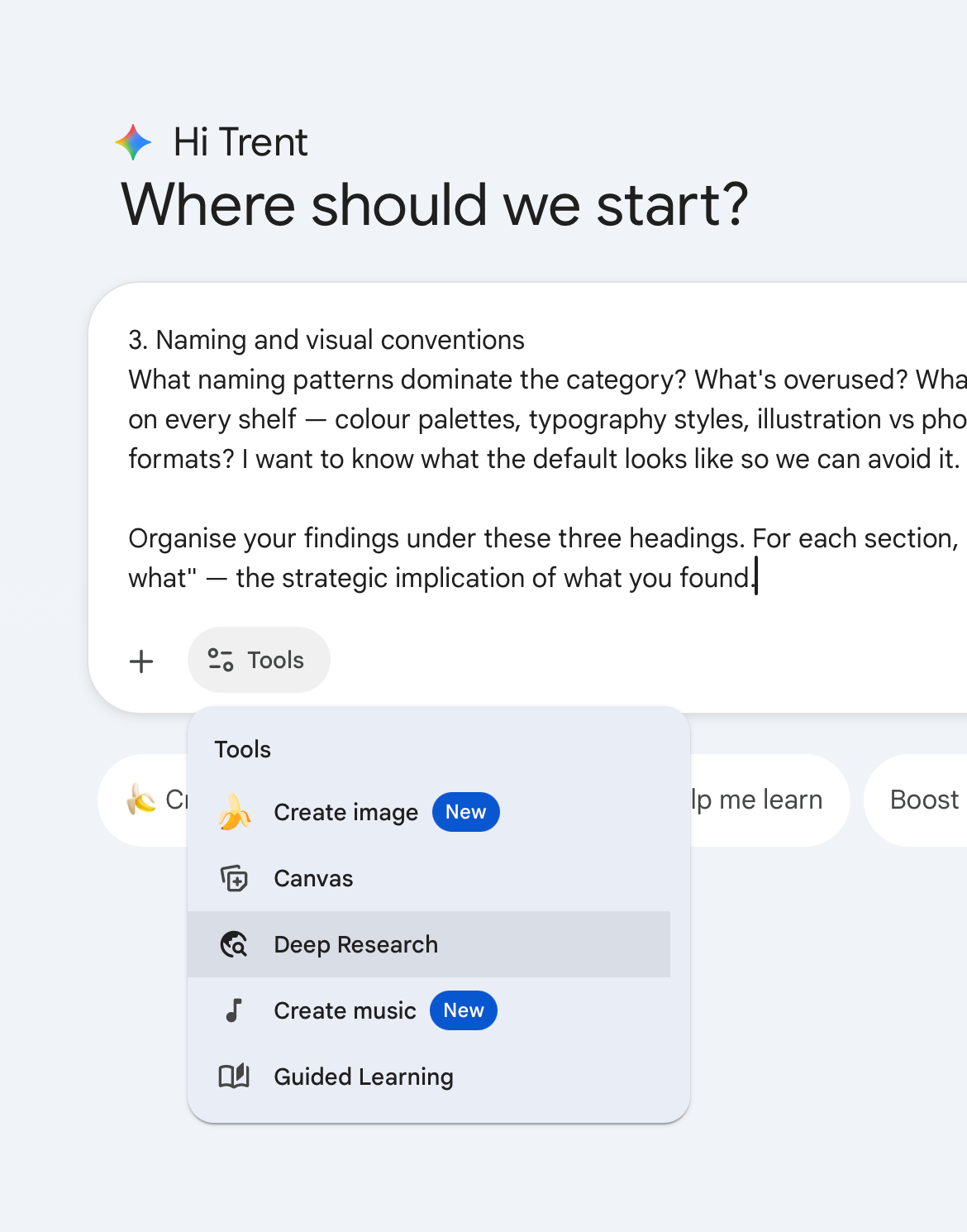

Hit go. This runs during dinner.
This is prompt chaining — using the output of one tool as the input for the next. What Gemini finds becomes the raw material Claude works with after the break.

Extract what mattersPrompt chaining
Your research is back. Paste the full output into your Google Doc, then into Claude and ask it to extract the most interesting audience mindsets, the strongest brand enemies, the cultural tension in the category, and any white space that feels unclaimed.
Ask for options, not conclusions. You're not asking Claude to make your strategy — you're asking it to surface possibilities. The decisions are yours.
Paste Claude's extraction into your Google Doc.
Make four decisionsRole prompting
Work through these in order. For each one, assign Claude a role before you ask — this is role prompting. Same question, different expertise, different answer.
1 Pick your audience
Ask a cultural strategist for three distinct audience options. Review them, pick one. Claude will push back and ask you to justify it. Sit with it before you confirm.
2 Pick your enemy
Ask a brand strategist for three things this brand could position itself against. Not a competitor — an attitude, a behaviour, or a category cliche. Pick one.
3 Pick your tone
Three options only: irreverent, understated, or earnest. Ask Claude to make the case for each given your audience and enemy. Pick one.
Irreverent
Confident, slightly cheeky, willing to poke fun at the category. Doesn't take itself too seriously.
Understated
Quiet confidence. Says less, means more. Premium without performing it.
Earnest
Genuine, warm, direct. Believes in what it's doing without being preachy about it.
4 Pick your word
If this brand could own one word in the mind of the consumer, what would it be? Ask for three options with the logic behind each. Pick one.
These four decisions are where sixty people in the room become sixty different brands. Same brief, same tools — the decisions compound.
Build your Brand Strategy document
Ask Claude to compile everything into a one-page Brand Strategy document — your audience, enemy, tone, one word, and the cultural tension the brand lives inside.
Paste it into your Google Doc.
Before next Thursday
- Your Google Doc is your record — make sure everything is in there
- Set up your brand project folder in OpenWebUI
- Full documentation is on its way — if you didn't finish something tonight, complete it before Session 2
Next week: naming, visual identity, and building an AI assistant that knows your brand inside out.
Techniques you used tonight
| Technique | What it is |
|---|---|
| Prompt chaining | Using the output of one tool as the input for the next |
| Role prompting | Assigning Claude a role before asking — changes the angle of the answer |
What you'll need
Choose your category
Pick one of four product categories: Functional Drink, Dog Food, Sunscreen, or Trail Shoe.
A lightly sparkling, adaptogen-based functional drink. Australian-made. 330ml cans. Three flavours at launch.
Category: Functional beverages — the fastest-growing segment in Australian non-alcoholic drinks. Currently dominated by two extremes: clinical wellness brands that lecture you about ingredients, and energy drinks that treat your body like a machine.
Competition: Remedy (gut health, friendly, approachable), Nexba (sugar-free, clean, functional), Liquid Death (attitude-first, punk water), Red Bull (performance, extreme, unapologetic). None of them talk to the person who's outgrown energy drinks but hasn't bought into the wellness aesthetic.
The person: Works hard, thinks carefully about what they consume, but doesn't make a performance of it. Not a wellness warrior. Not a gym bro. Someone who wants to feel sharp without feeling like they've joined a movement.
The occasion: 2pm on a Tuesday. The meeting that won't end. The afternoon where coffee feels like too much and water feels like not enough. Or: the Saturday morning replacement for the hangover coffee.
The tension: Every functional drink either talks to you like you're sick (wellness) or like you're a machine (energy). Nobody talks to you like you're a person who wants to feel good and get on with their day.
The brief gives you the tension — your job is to resolve it.
| Technique | What it does |
|---|---|
| Prompt chaining | One tool's output becomes the next tool's input — each step builds on the last |
| Role prompting | Assigning Claude a specific perspective or expertise before you ask your question |
Write your Personal Brief
Open Claude in OpenWebUI. Claude will interview you — one question at a time — about your role, what you're working on, how you like to communicate, and what you want AI to help you with. When it has enough, ask it to compile everything into a Personal Brief.
Save it in your OpenWebUI system settings. Paste a copy into your Google Doc.
Launch your research
Open Gemini Deep Research and brief it to investigate your category — competitive landscape, white space, audience mindsets, cultural tensions, and what existing brands are getting wrong.


Hit go. This runs during dinner.
This is prompt chaining — using the output of one tool as the input for the next. What Gemini finds becomes the raw material Claude works with after the break.

Extract what mattersPrompt chaining
Your research is back. Paste the full output into your Google Doc, then into Claude and ask it to extract the most interesting audience mindsets, the strongest brand enemies, the cultural tension in the category, and any white space that feels unclaimed.
Ask for options, not conclusions. You're not asking Claude to make your strategy — you're asking it to surface possibilities. The decisions are yours.
Paste Claude's extraction into your Google Doc.
Make four decisionsRole prompting
Work through these in order. For each one, assign Claude a role before you ask — this is role prompting. Same question, different expertise, different answer.
1 Pick your audience
Ask a cultural strategist for three distinct audience options. Review them, pick one. Claude will push back and ask you to justify it. Sit with it before you confirm.
2 Pick your enemy
Ask a brand strategist for three things this brand could position itself against. Not a competitor — an attitude, a behaviour, or a category cliche. Pick one.
3 Pick your tone
Three options only: irreverent, understated, or earnest. Ask Claude to make the case for each given your audience and enemy. Pick one.
Irreverent
Confident, slightly cheeky, willing to poke fun at the category. Doesn't take itself too seriously.
Understated
Quiet confidence. Says less, means more. Premium without performing it.
Earnest
Genuine, warm, direct. Believes in what it's doing without being preachy about it.
4 Pick your word
If this brand could own one word in the mind of the consumer, what would it be? Ask for three options with the logic behind each. Pick one.
These four decisions are where sixty people in the room become sixty different brands. Same brief, same tools — the decisions compound.
Build your Brand Strategy document
Ask Claude to compile everything into a one-page Brand Strategy document — your audience, enemy, tone, one word, and the cultural tension the brand lives inside.
Paste it into your Google Doc.
Before next Thursday
- Your Google Doc is your record — make sure everything is in there
- Set up your brand project folder in OpenWebUI
- Full documentation is on its way — if you didn't finish something tonight, complete it before Session 2
Next week: naming, visual identity, and building an AI assistant that knows your brand inside out.
Techniques you used tonight
| Technique | What it is |
|---|---|
| Prompt chaining | Using the output of one tool as the input for the next |
| Role prompting | Assigning Claude a role before asking — changes the angle of the answer |
What you'll need
Choose your category
Pick one of four product categories: Functional Drink, Dog Food, Sunscreen, or Trail Shoe.
A premium, Australian-made dry dog food. Natural ingredients. Three recipes at launch.
Category: Premium pet food — one of the fastest-growing segments in Australian retail. Currently dominated by two extremes: clinical vet-endorsed brands that guilt you into spending more, and supermarket brands that hide behind happy dog photos.
Competition: Royal Canin (vet-endorsed, clinical, premium), Black Hawk (Australian, natural, mid-premium), Advance (science-led, functional), Ivory Coat (grain-free, holistic). None of them talk to the person who loves their dog but doesn't want to be talked to like a helicopter parent.
The person: Loves their dog. Feeds them well. But doesn't define their identity around being a "pet parent." Not into grain-free anxiety or raw-food evangelism. Just wants good food, clearly made, no guilt trips.
The occasion: Standing in the pet food aisle on a Saturday, overwhelmed by claims. Or: reordering online and wondering if they should switch from the brand that's been steadily getting more expensive.
The tension: Every premium dog food either talks to you like you're neglecting your dog (vet brands) or like you're buying a lifestyle (boutique brands). Nobody just makes good food and lets you get on with it.
The brief gives you the tension — your job is to resolve it.
| Technique | What it does |
|---|---|
| Prompt chaining | One tool's output becomes the next tool's input — each step builds on the last |
| Role prompting | Assigning Claude a specific perspective or expertise before you ask your question |
Write your Personal Brief
Open Claude in OpenWebUI. Claude will interview you — one question at a time — about your role, what you're working on, how you like to communicate, and what you want AI to help you with. When it has enough, ask it to compile everything into a Personal Brief.
Save it in your OpenWebUI system settings. Paste a copy into your Google Doc.
Launch your research
Open Gemini Deep Research and brief it to investigate your category — competitive landscape, white space, audience mindsets, cultural tensions, and what existing brands are getting wrong.


Hit go. This runs during dinner.
This is prompt chaining — using the output of one tool as the input for the next. What Gemini finds becomes the raw material Claude works with after the break.

Extract what mattersPrompt chaining
Your research is back. Paste the full output into your Google Doc, then into Claude and ask it to extract the most interesting audience mindsets, the strongest brand enemies, the cultural tension in the category, and any white space that feels unclaimed.
Ask for options, not conclusions. You're not asking Claude to make your strategy — you're asking it to surface possibilities. The decisions are yours.
Paste Claude's extraction into your Google Doc.
Make four decisionsRole prompting
Work through these in order. For each one, assign Claude a role before you ask — this is role prompting. Same question, different expertise, different answer.
1 Pick your audience
Ask a cultural strategist for three distinct audience options. Review them, pick one. Claude will push back and ask you to justify it. Sit with it before you confirm.
2 Pick your enemy
Ask a brand strategist for three things this brand could position itself against. Not a competitor — an attitude, a behaviour, or a category cliche. Pick one.
3 Pick your tone
Three options only: irreverent, understated, or earnest. Ask Claude to make the case for each given your audience and enemy. Pick one.
Irreverent
Confident, slightly cheeky, willing to poke fun at the category. Doesn't take itself too seriously.
Understated
Quiet confidence. Says less, means more. Premium without performing it.
Earnest
Genuine, warm, direct. Believes in what it's doing without being preachy about it.
4 Pick your word
If this brand could own one word in the mind of the consumer, what would it be? Ask for three options with the logic behind each. Pick one.
These four decisions are where sixty people in the room become sixty different brands. Same brief, same tools — the decisions compound.
Build your Brand Strategy document
Ask Claude to compile everything into a one-page Brand Strategy document — your audience, enemy, tone, one word, and the cultural tension the brand lives inside.
Paste it into your Google Doc.
Before next Thursday
- Your Google Doc is your record — make sure everything is in there
- Set up your brand project folder in OpenWebUI
- Full documentation is on its way — if you didn't finish something tonight, complete it before Session 2
Next week: naming, visual identity, and building an AI assistant that knows your brand inside out.
Techniques you used tonight
| Technique | What it is |
|---|---|
| Prompt chaining | Using the output of one tool as the input for the next |
| Role prompting | Assigning Claude a role before asking — changes the angle of the answer |
What you'll need
Choose your category
Pick one of four product categories: Functional Drink, Dog Food, Sunscreen, or Trail Shoe.
A daily-wear SPF50+ sunscreen. Australian-made. Lightweight formula. Three variants at launch (face, body, tinted).
Category: Suncare — one of the most trusted and most boring categories in Australian retail. Currently dominated by two extremes: pharmacy brands that feel like medical compliance, and beauty brands that treat sunscreen as skincare with SPF tacked on.
Competition: Cancer Council (trusted, institutional, duty-driven), Bondi Sands (lifestyle, beach, aspirational), Ultra Violette (beauty-first, premium, Gen Z), Banana Boat (family, fun, mass market). None of them talk to the person who wears sunscreen every day but doesn't want it to feel like either a chore or a beauty ritual.
The person: Wears sunscreen because they know they should. Doesn't need convincing about UV damage. But doesn't want sunscreen to be a whole thing — not a 12-step skincare routine, not a beach lifestyle, not a guilt trip from a cancer charity.
The occasion: 7:30am on a weekday. Getting ready for work. Sunscreen is the last step before keys and phone. Or: Saturday morning before taking the kids to sport. It should be as automatic as deodorant.
The tension: Every sunscreen brand either makes you feel guilty (health brands) or makes you feel like you need to be beautiful (beauty brands). Nobody just makes sunscreen for people who wear it every day because it's the smart thing to do.
The brief gives you the tension — your job is to resolve it.
| Technique | What it does |
|---|---|
| Prompt chaining | One tool's output becomes the next tool's input — each step builds on the last |
| Role prompting | Assigning Claude a specific perspective or expertise before you ask your question |
Write your Personal Brief
Open Claude in OpenWebUI. Claude will interview you — one question at a time — about your role, what you're working on, how you like to communicate, and what you want AI to help you with. When it has enough, ask it to compile everything into a Personal Brief.
Save it in your OpenWebUI system settings. Paste a copy into your Google Doc.
Launch your research
Open Gemini Deep Research and brief it to investigate your category — competitive landscape, white space, audience mindsets, cultural tensions, and what existing brands are getting wrong.


Hit go. This runs during dinner.
This is prompt chaining — using the output of one tool as the input for the next. What Gemini finds becomes the raw material Claude works with after the break.

Extract what mattersPrompt chaining
Your research is back. Paste the full output into your Google Doc, then into Claude and ask it to extract the most interesting audience mindsets, the strongest brand enemies, the cultural tension in the category, and any white space that feels unclaimed.
Ask for options, not conclusions. You're not asking Claude to make your strategy — you're asking it to surface possibilities. The decisions are yours.
Paste Claude's extraction into your Google Doc.
Make four decisionsRole prompting
Work through these in order. For each one, assign Claude a role before you ask — this is role prompting. Same question, different expertise, different answer.
1 Pick your audience
Ask a cultural strategist for three distinct audience options. Review them, pick one. Claude will push back and ask you to justify it. Sit with it before you confirm.
2 Pick your enemy
Ask a brand strategist for three things this brand could position itself against. Not a competitor — an attitude, a behaviour, or a category cliche. Pick one.
3 Pick your tone
Three options only: irreverent, understated, or earnest. Ask Claude to make the case for each given your audience and enemy. Pick one.
Irreverent
Confident, slightly cheeky, willing to poke fun at the category. Doesn't take itself too seriously.
Understated
Quiet confidence. Says less, means more. Premium without performing it.
Earnest
Genuine, warm, direct. Believes in what it's doing without being preachy about it.
4 Pick your word
If this brand could own one word in the mind of the consumer, what would it be? Ask for three options with the logic behind each. Pick one.
These four decisions are where sixty people in the room become sixty different brands. Same brief, same tools — the decisions compound.
Build your Brand Strategy document
Ask Claude to compile everything into a one-page Brand Strategy document — your audience, enemy, tone, one word, and the cultural tension the brand lives inside.
Paste it into your Google Doc.
Before next Thursday
- Your Google Doc is your record — make sure everything is in there
- Set up your brand project folder in OpenWebUI
- Full documentation is on its way — if you didn't finish something tonight, complete it before Session 2
Next week: naming, visual identity, and building an AI assistant that knows your brand inside out.
Techniques you used tonight
| Technique | What it is |
|---|---|
| Prompt chaining | Using the output of one tool as the input for the next |
| Role prompting | Assigning Claude a role before asking — changes the angle of the answer |
What you'll need
Read your brief
Everyone is building the same product. Your job across four weeks is to find a territory that's yours.
A single Australian-made sneaker. New brand. One silhouette at launch.
Category: Performance sneakers — a space where global brands dominate distribution and mindshare with trail-ready, gorpcore-crossover silhouettes. Currently split between mass-market runners from major athletic brands and a handful of specialist brands with cult followings. The whitespace is a brand that's local, considered, and community-rooted before it's commercial.
Competition: Salomon (ubiquitous, performance-first, gorpcore crossover), HOKA (maximalist, comfort, mainstream), Nike (brand leverage, style-led), New Balance (heritage cool, dad-shoe revival). None of them are Australian-made, and none of them talk to the person who's tired of seeing the same sneakers on every feed and every trail.
The person: Cares deeply about what's on their feet but doesn't need a brand to tell them they have taste. Notices what other people are wearing, moves between trail and street without thinking about it, and would rather discover a brand than be sold one. Values craft and locality over global scale.
The occasion: Saturday morning, 6am on a trail they know well enough to run alone. Or: Saturday night, the shoe someone asks about at the bar. Or: the forum post where someone asks "what are you actually wearing?" and the answer isn't Salomon.
The tension: Every sneaker brand either chases mass-market scale (Nike, Salomon, HOKA) or stays so niche it's hard to find. Nobody is building an Australian sneaker that's genuinely good, genuinely local, and moves between trail and street — without trying to be the next global brand.
The brief gives you the tension — your job is to resolve it.
| Technique | What it does |
|---|---|
| Prompt chaining | One tool's output becomes the next tool's input — each step builds on the last |
| Role prompting | Assigning Claude a specific perspective or expertise before you ask your question |
Write your Personal Brief
Before you touch the brand, tell AI who you are. AI gives generic output because it doesn't know anything about you. Instead of filling in a template, you'll ask Claude to interview you.
Answer honestly — short answers are fine. When Claude produces your brief, push back and revise. Two or three rounds is normal.
Launch your research
Paste this prompt into Gemini Deep Research, hit go, and head to dinner. It'll be ready when you get back.


Extract insights from your researchPrompt chaining
Take the entire Gemini output and paste it into Claude. This is prompt chaining — one tool's output becomes the next tool's input.
You should now have three audience options, three enemy options, and one cultural tension. These are your starting point for the decisions below.
Make your choicesRole prompting
Four decisions. Each one makes your brand different from everyone else's. Each prompt gives Claude a different role — that's role prompting.
1 Pick your audience
Pick the audience mindset that resonates most, then expand on it.
2 Pick your enemy
Pick the brand enemy your brand will fight — not a competitor, a belief or behaviour.
3 Pick your tone
No prompt needed. Pick one of three.
Write it down. This filters everything that follows.
Irreverent
Confident, slightly cheeky, willing to poke fun at the category. Doesn't take itself too seriously.
Understated
Quiet confidence. Says less, means more. Premium without performing it.
Earnest
Genuine, warm, direct. Believes in what it's doing without being preachy about it.
4 Pick your word
If your brand could own one word in the customer's mind, what would it be?
Pick one word. Then write one sentence defending your choice — in your own words, not AI-generated.
Compile your Brand Strategy
Pull everything together into a single-page document.
Revise anything that doesn't feel right. This document is the input for Session 2.
Techniques you learned tonight
| Technique | What it does | When to use it |
|---|---|---|
| Prompt chaining | One tool's output becomes the next tool's input — each step builds on the last | Research sprints, multi-stage workflows, any task where the output of one step informs the next |
| Role prompting | Assigning Claude a specific perspective or expertise before you ask your question | Interrogating briefs, getting expert-angle feedback, pressure-testing ideas from different perspectives |
Didn't finish everything? No worries. Full documentation is provided so you can complete anything before next Thursday. The next session doesn't require tonight to be 100% complete — but your deliverables will make it much smoother.